Learn how to set up Backup4all, a comprehensive backup software, with Telnyx Storage for automated and reliable data… See Telnyx guidance and requirements.
Backup4all is a comprehensive backup software that enables users to securely and efficiently backup their data to various storage locations such as cloud services, network drives, and external hard drives. It offers a range of features including full, differential, and incremental backups, compression, encryption, scheduling, and backup verification.
How to configure Cyberduck to work with Telnyx Storage
-
Download and install the latest version of Backup4all here!
-
Click
FileandNewto create a new backup job -
For
Destination, select Online on the left navigation bar and then select S3 Compatible from the dropdown menu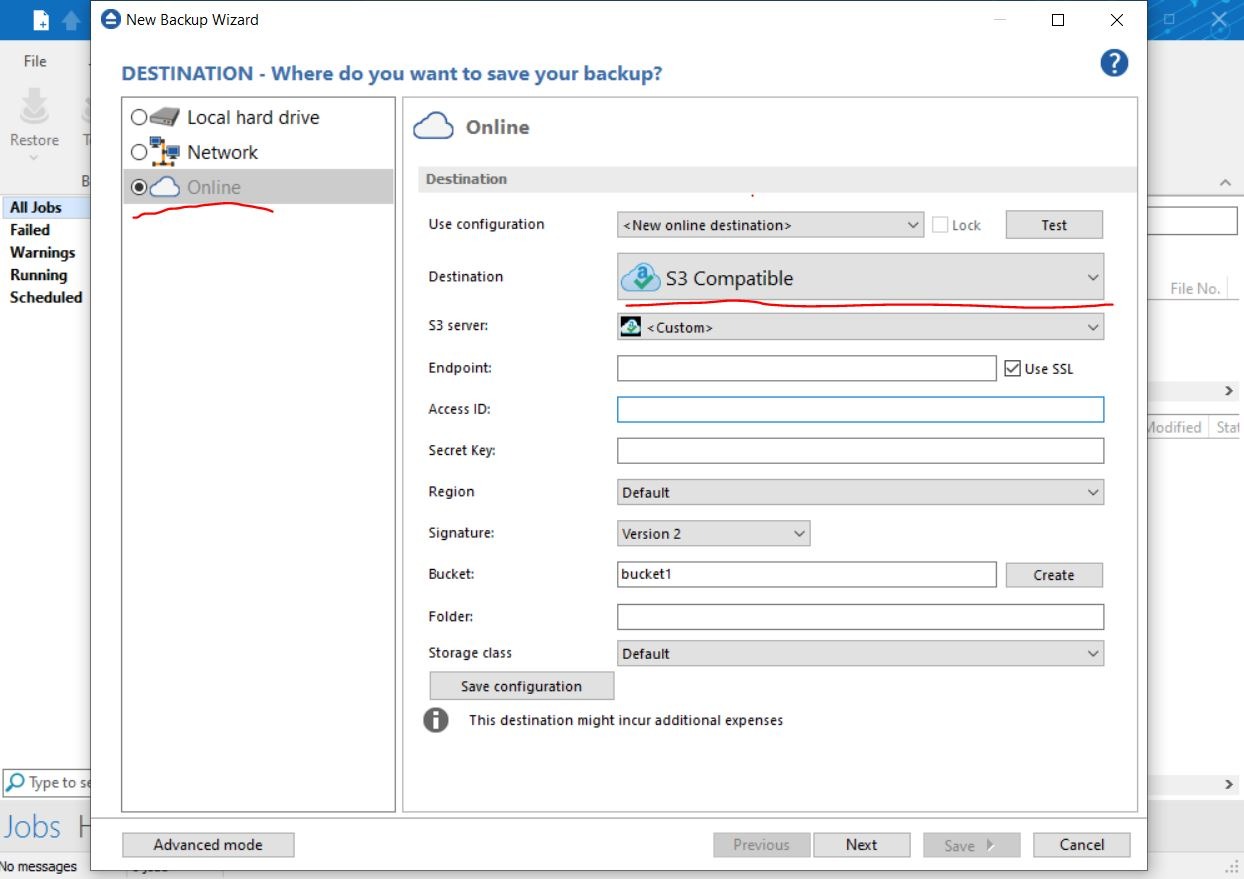
-
For the remainder of the configuration window, enter the following and then click
Next:-
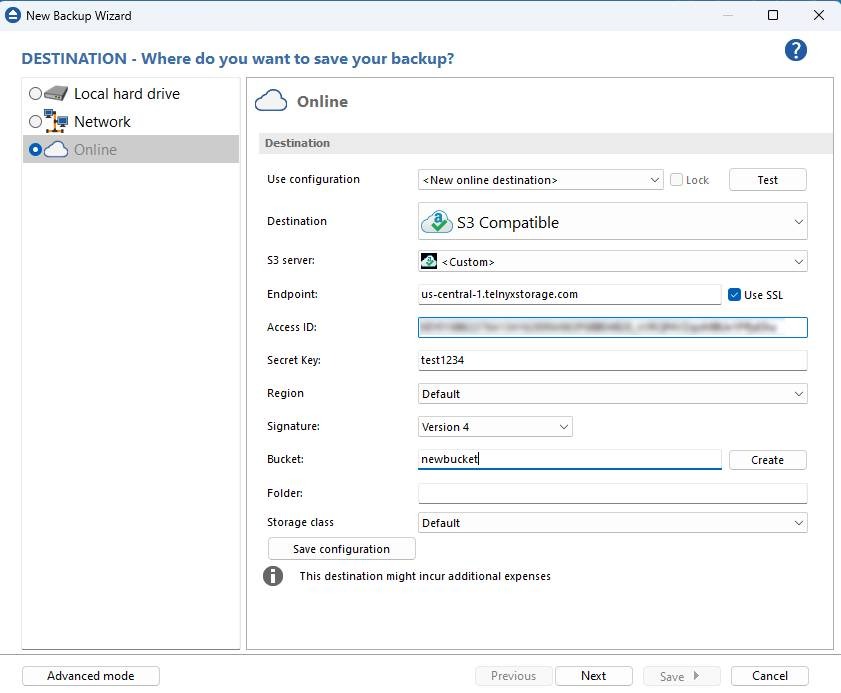
Endpoint: Copy and paste one of our available API Endpoints.
-
Access ID: Copy and paste your Telnyx API Key in this field
-
Secret Key: The secret access key is not used by TelnyxStorage, but Backup4all will complain if it doesn’t exist. Type out anything you want here, as long as it doesn't include spaces, quoting, or special characters of any kind.
-
Region: leave as
default -
Signature: Version 4
-
Bucket: the name of the bucket you want your data stored inSelect the sources that you wish to backup
-
And that's all there is to it! You can continue the flow creating your backup job, and once finished your data will be backed up to Telnyx Storage!
Additional Resources
For more information on how to use Backup4all, check out their product resources here.