Learn how to pre-configure your porting order with Bundles. See Telnyx guidance and requirements Learn more about Porting + Bundles with Telnyx.
Bundles is a new pricing option being offered by Telnyx.
Here's how you can pre-configure your porting order with bundles:
Couple of notes:
- You may pre-configure bundles on your porting order at any point as long as the order hasn't completed (i.e. it is in a
cancelledorportedstatus) - A bundle is not actually applied to a phone number until after the phone number ports in. After pre-configuring a bundle with a port order, be careful not to use that same bundle in a number order.
- If an order is already ported, you cannot use porting tooling to associate bundles
- Please ensure that the bundle is eligible for your port order (i.e. a US bundle being pre-configured with US phone numbers). If the bundle is not eligible for your port order (i.e. a US bundle being pre-configured with an Australian phone numbers), then you will be unable to pre-configure it.
Through the Telnyx Portal
-
Navigate to the Port Numbers page in the Telnyx Portal
-
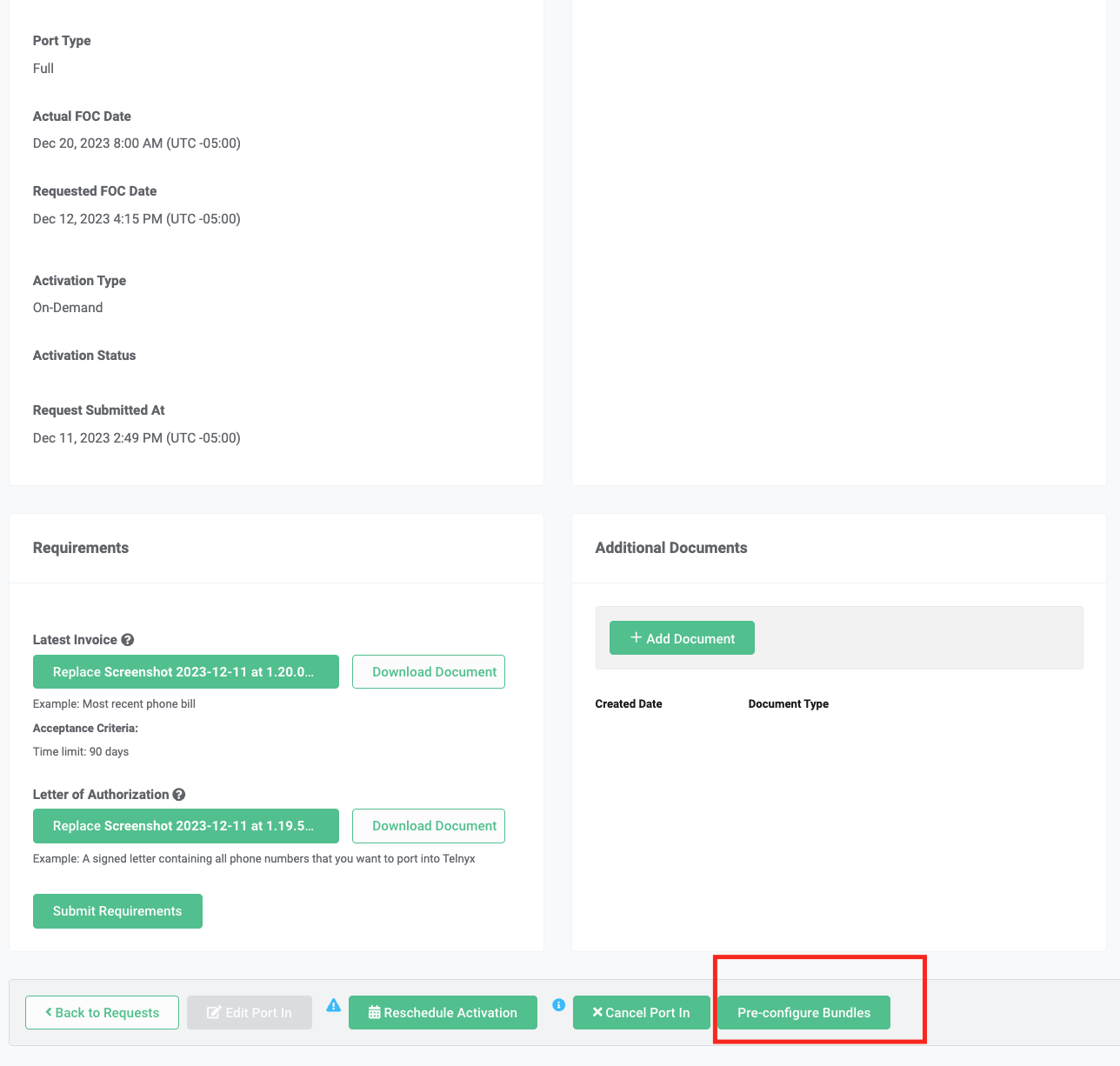
Click on any order that you would like to pre-configure bundles with.
- By clicking on the order, you will open up the
Port In Detailspage for that order
- By clicking on the order, you will open up the
-
Scroll to the bottom of the page
Port In Detailspage.-
There should be a
Pre-configure Bundlesbutton. -
Click on that button
-
Preconfigure Bundles
-
A modal will pop up on the page. There are 2 tabs on the modal:
ListandAdd. By default, the modal will load on theListtab-
List: Lists the pre-configurations you have already created. If you haven't pre-configured any bundles on the order, it will be an empty table (like the image below) -
Add: Create new pre-configurations for bundles and phone numbers on your order.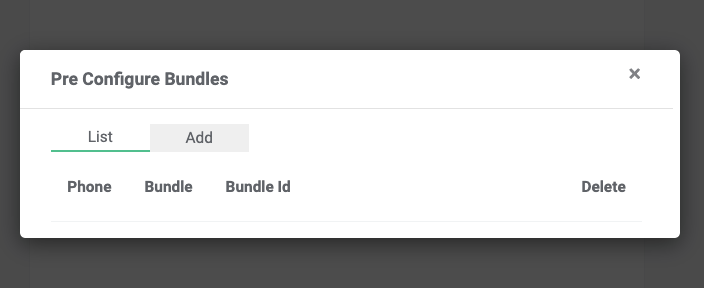
-
-
Click on the
Addtab.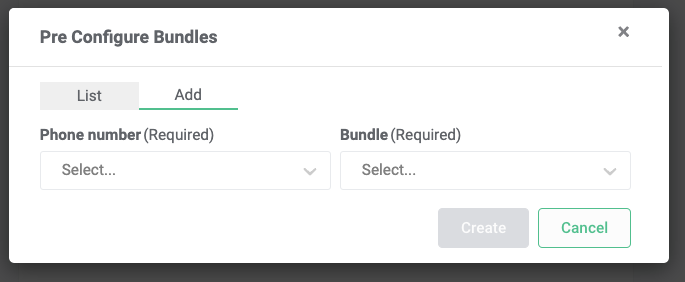
-
Specify a phone number from the port order, and the bundle you would like to pre-configure with it. Then click
Create -
The pre-configuration will now appear on the
Listpage.-
Repeat steps 5-6 for every phone number you wish to pre-configure a bundle with on your porting order
-
If you want to change the bundle associated with a particular phone number, click on the trash can in the
Deletecolumn to delete the pre-configuration. And then repeat steps 5-6 for that phone number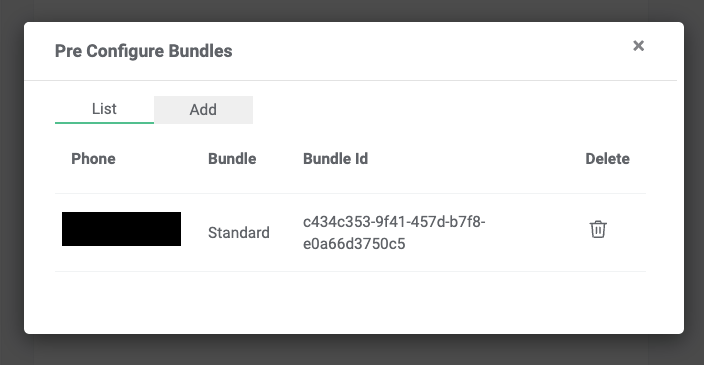
-
-
When your order ports, the pre-configured bundles will automatically be applied with the specified phone numbers. You are all set!
Using the Porting API
You can follow this developers guide to integrate with the porting API for pre-configuring bundles to port orders