As a Telnyx Customer, you are able to download your own CDR / MDR / Call Control and/or Usage Report whenever you want. See Telnyx guidance and requirements.
How to Download My Report Logs?
You can generate the following report logs:
- Calls
- Messaging
- Voice API
- Fax API
- Wireless
- WebRTC
- Real-Time Transcriptions
To generate a these report logs, please log in to your portal account, go to the Reporting section and choose the related "Report Type".
Request a report for the specific time frame you are looking for.
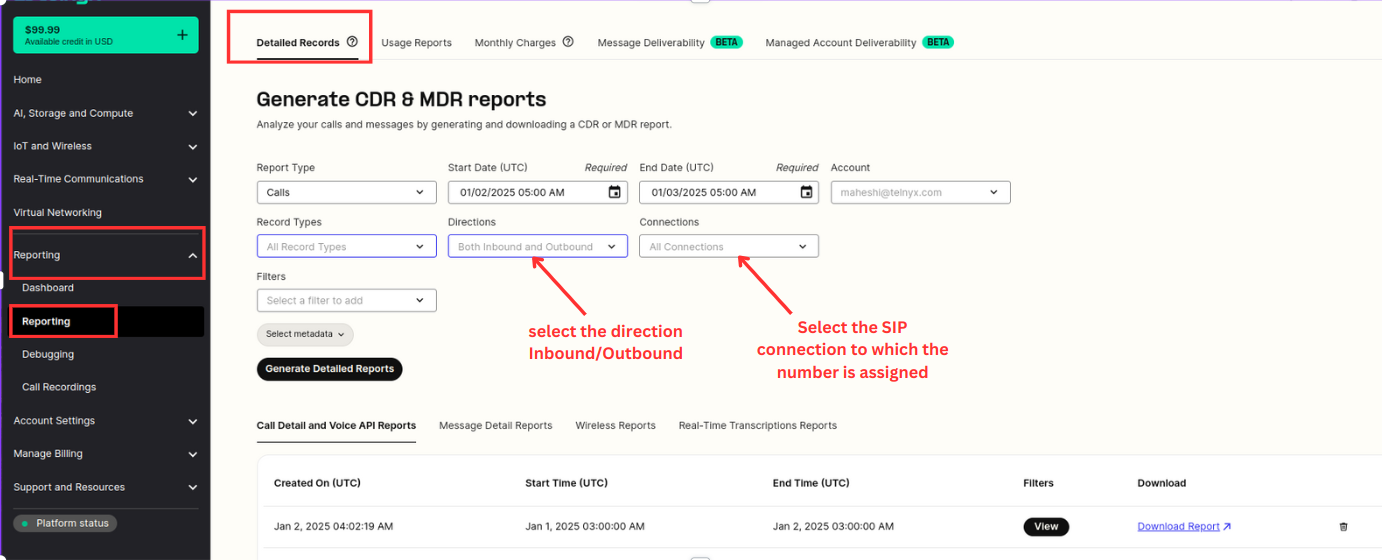
What filters are available?
Outside of specifying a time-frame, you have other filters available to narrow down certain reports:
- CLI (originating number)
- CLD (destination number)
- Tags (defined at the number for inbound calls or at the outbound voice profile for outbound calls)
- Billing Groups
If you are using managed accounts, you can select the managed account you want to generate a report for.
You have access to record types:
- Completed
- Incomplete
- Errors
As well as call type:
- Inbound
- Outbound
Or the specific connection, application or messaging profile you're interested in filtering report logs for.
How to Download Your Usage Report
- Usage reports can also be generated here by clicking the Usage Reports at the top of the Reporting section.
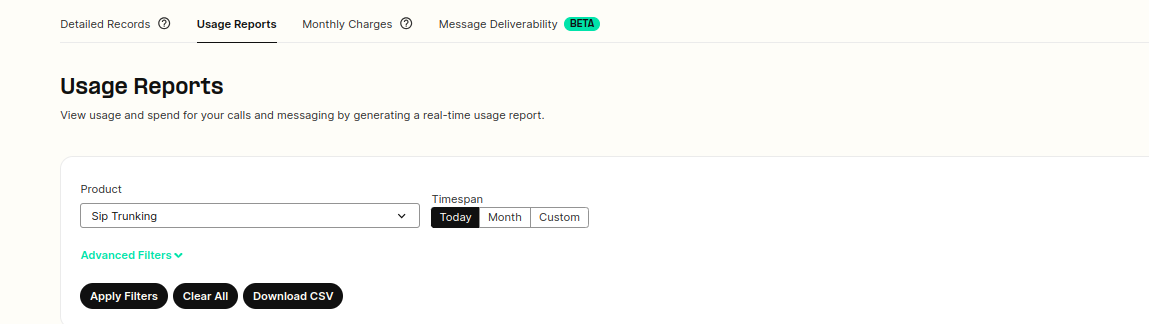
Step by step guide to Usage Reports can be viewed here.