This article explains how to assign a DID to a SIP Connection and expounds on the different DID features in Mission… See Telnyx guidance and requirements.
A DID is needed in order to receive inbound calls from our network. You'll have to assign a registered connection on a DID in order to receive inbound calls.
Assigning a DID to a SIP Connection
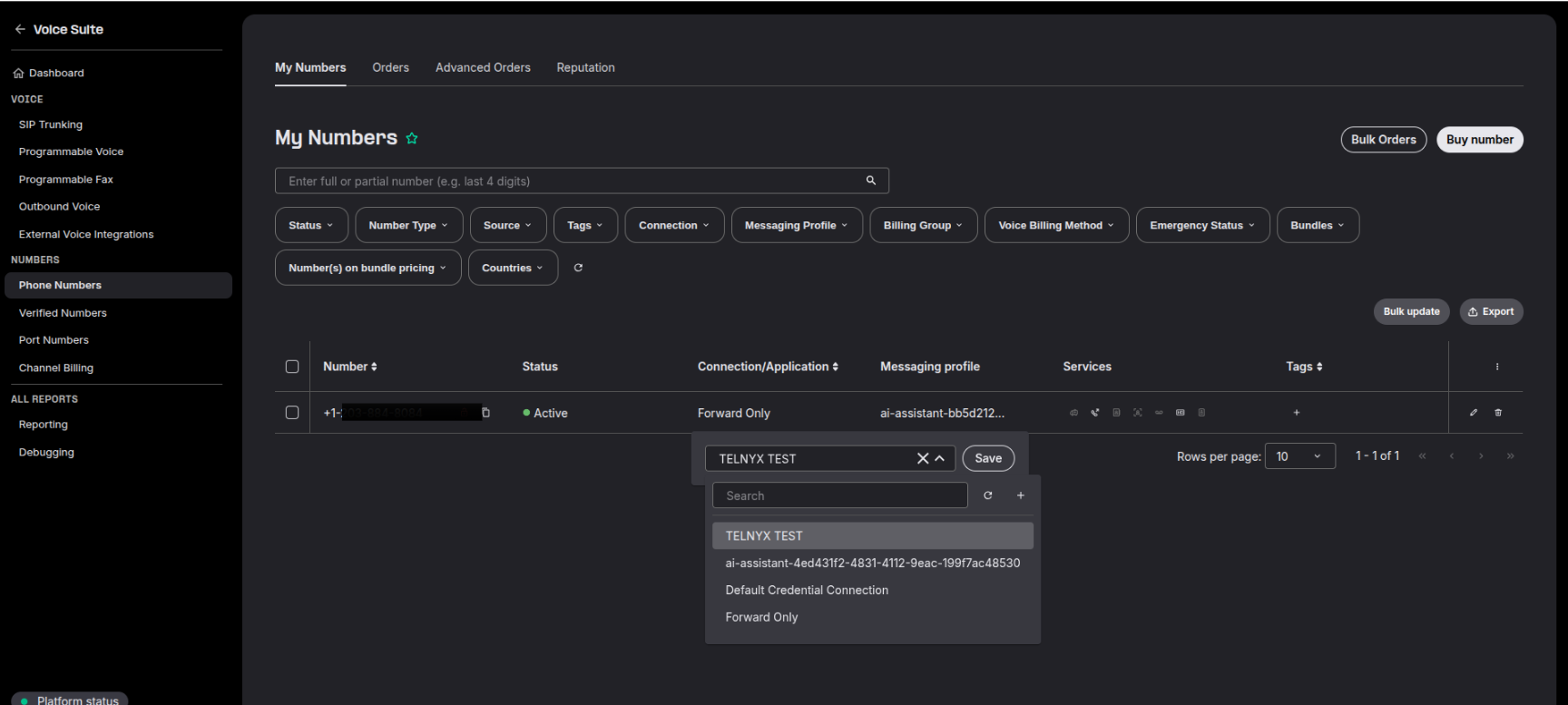
Follow these steps to assign a single DID to a SIP Connection on the PHONE NUMBERS section of the NUMBERS page:
- Hover over the box beneath the SIP Connection/App header and click the pencil icon
- Select the connection you want to assign to the DID from the dropdown
Assigning Multiple DIDs to a SIP Connection
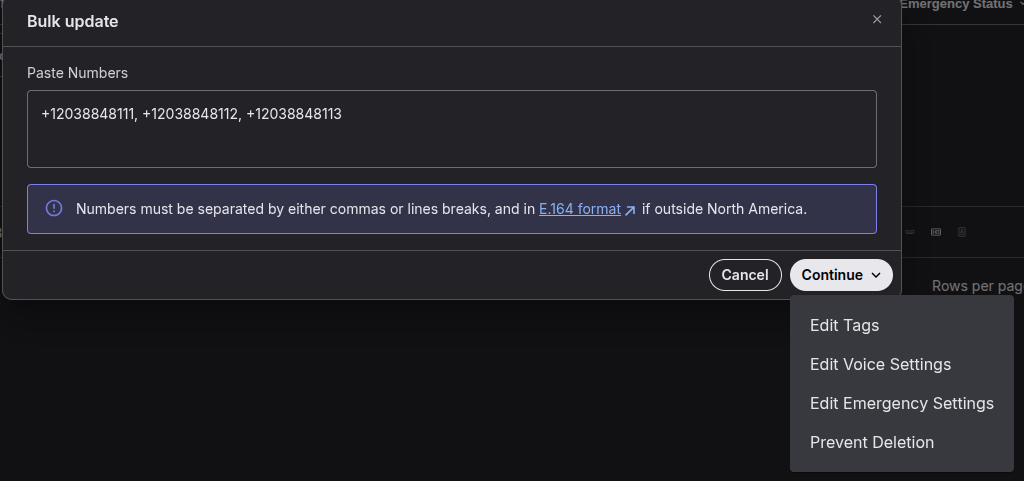
Follow these steps to assign multiple DIDs at once to a SIP Connection on the PHONE NUMBERS section of the NUMBERS page:
- Select the check box to the left of the DIDs you want to edit
- Click the "Bulk update" button
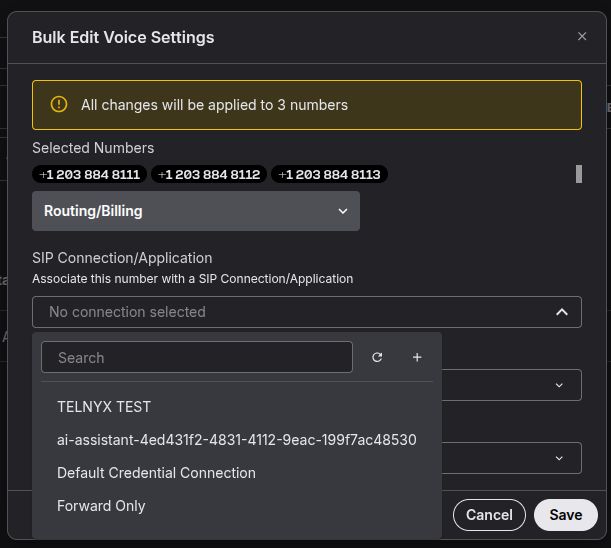
- Paste all the numbers you want to update, clic on continue, Edit Voice Settings
- Select the desired SIP Connection in the connection field
- Click Save
DID Services
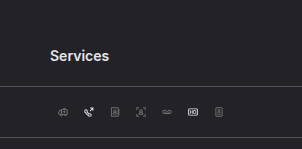
There are 7 different services we offer on DIDs and information on each can be found in the links below: